Return Tracker
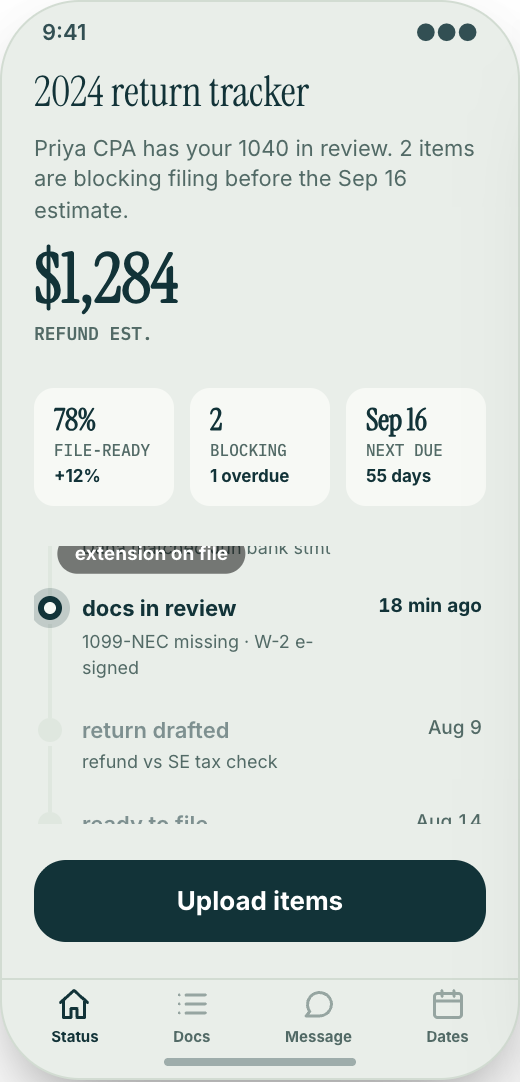
Clients open the app and see exactly where their tax return or monthly books stand: in progress, waiting on documents, ready to review, or filed.
Working prototype · Professional services
Explore a working accounting firm & tax practice app prototype with return tracker, document vault, and missing paperwork checklist. Customize it yourself or have Mistflow Studio build the approved screens, style, and flow.
This is a working mobile prototype, not a shipped app. Mistflow can turn it into a native iPhone and Android app after you confirm the screens, platform details, and integrations.
Built for accounting firm work
Not a generic app template. This prototype starts with the moments that cost your team time or leave customers waiting.
Inside the prototype
Keep what fits, change what does not, and add the details that make the workflow yours.
Clients open the app and see exactly where their tax return or monthly books stand: in progress, waiting on documents, ready to review, or filed.
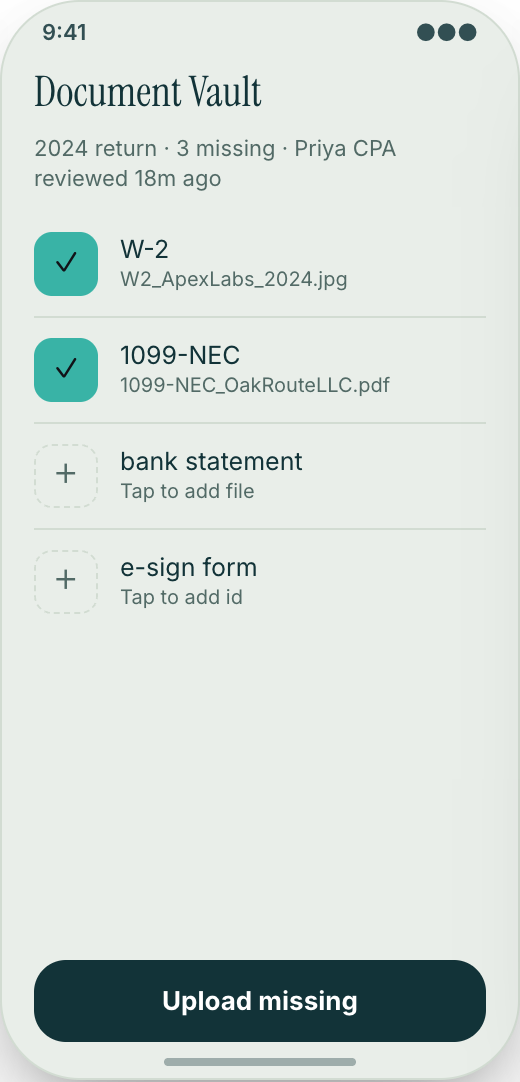
Clients upload W-2s, 1099s, receipts, bank statements, payroll reports, and tax notices from their phone instead of emailing attachments.
Each client sees the exact items your team still needs, like February bank statements or a spouse's W-2, so you stop sending the same reminder over and over.
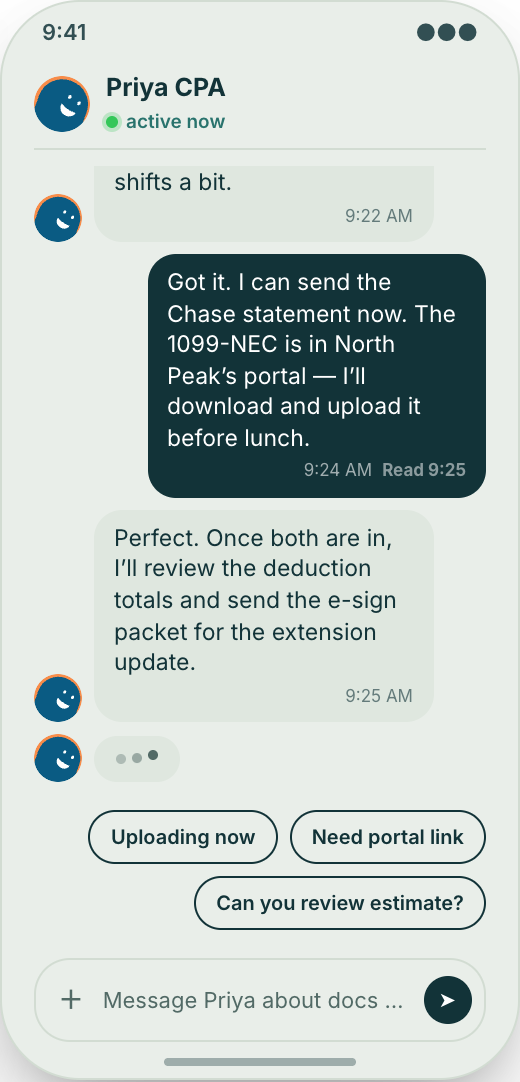
Clients message their assigned accountant in one secure thread, so tax questions, answers, and follow-ups stay with the right client work.
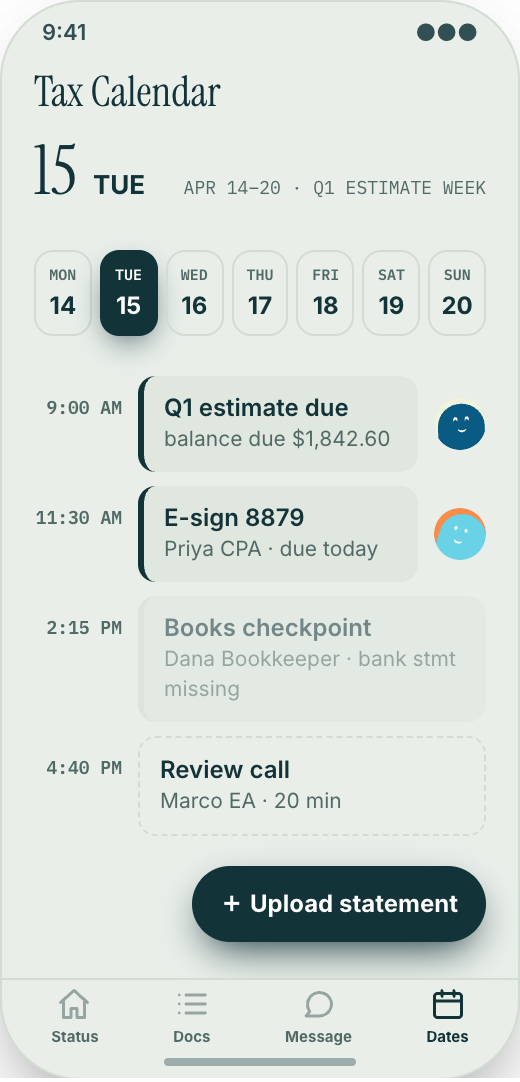
Clients see upcoming filing dates, quarterly estimate dates, meetings, document deadlines, and signatures they still owe.
When a return is ready to review or a form needs a signature, the client gets a clear reminder inside the app instead of another buried email.
The app uses your firm name, colors, logo, and tone, so clients feel like they are using your portal, not a generic tax website.
Prototype screen gallery
These are screens from the working prototype—not screenshots of a shipped customer app.
Example workflows
Use these examples to judge whether the flow matches your business before you commit to building it.
The build promise
Explore this working prototype, customize it yourself or hand it to us, then approve the screens, style, and flow before the finished build begins.
Try the proposed flow and review every prototype screen.
Change the words, branding, features, and workflow until it fits.
Your approved prototype becomes the clear visual contract for the finished app.
Straight answers
Choose self-serve if you want control, or Studio if you want Mistflow to take the build from approved prototype to a native iPhone and Android app.
Agency comparison from the industry brief: A custom accounting firm app from an agency often runs $25,000 to $75,000 or more, plus a maintenance retainer, and every change to a checklist, deadline, or return status becomes a ticket. Quotes vary by scope, platform, and integrations.
Start from this exact prototype, make it yours, and build in Mistflow. See the pricing page for current subscription options.
Build my versionHand the approved prototype to the Mistflow team for a focused native mobile app build. Scope is confirmed before the 14-day engagement starts.
Have Mistflow build itBuying questions
Clear answers about the prototype, the finished build, and your two paths forward.
No. The screens on this page are a working prototype: you can explore the flow, but it is not a shipped customer app. The finished app is built after you approve or customize the prototype.
Yes. Build my version carries this exact prototype into Mistflow, including its screens, style, and flow. You can change it before the finished app is built.
You can change the branding, wording, steps, and features. This prototype currently demonstrates Return Tracker, Document Vault, and Missing paperwork checklist, and you can keep, remove, or reshape those parts around the way your business works.
Yes. In the finished app, the Ask My Accountant screen gives each client one secure thread with the right person, so questions and answers stay connected to that client's work.
Yes. In the finished app, if your process changes, you can ask Mistflow to update the tracker, add a new document type, change a reminder, or add a new tax calendar item.
For self-serve, you use a Mistflow subscription; current plan prices are listed on the pricing page. Mistflow Studio is a separate $4,900 fixed service for a 14-day native iPhone and Android app build. Scope is confirmed before work starts.
Related prototypes
Compare adjacent workflows and borrow the ideas that fit your business.
Start from the working prototype you just reviewed. Customize it yourself or hand the approved direction to Mistflow Studio.
Prototype preview only. The finished app is built after you approve the direction.