Event Planner
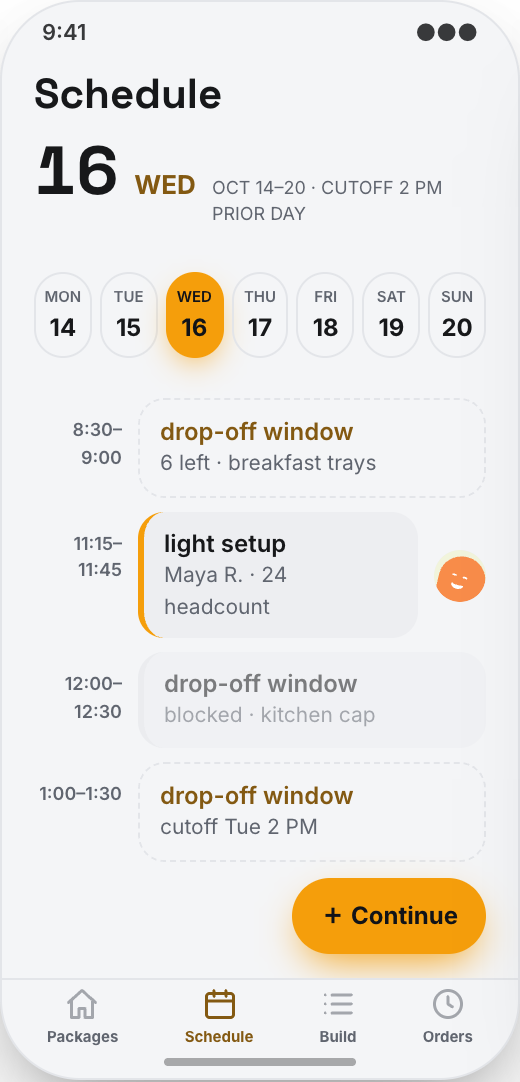
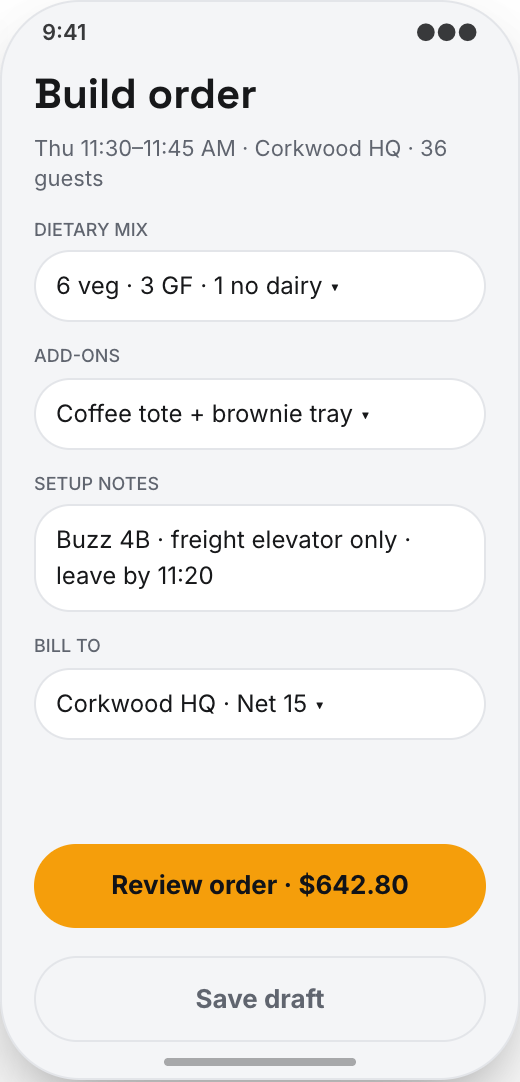
Clients enter the meeting type, date, delivery window, office address, headcount, and dietary counts before they ever see menus, so every recommendation fits the event.
Working prototype · Food & drink
Explore a working office catering company app prototype with event planner, recommended catering packages, and compare by per-head price and lead time. Customize it yourself or have Mistflow Studio build the approved screens, style, and flow.
This is a working mobile prototype, not a shipped app. Mistflow can turn it into a native iPhone and Android app after you confirm the screens, platform details, and integrations.
Built for office catering company work
Not a generic app template. This prototype starts with the moments that cost your team time or leave customers waiting.
Inside the prototype
Keep what fits, change what does not, and add the details that make the workflow yours.
Clients enter the meeting type, date, delivery window, office address, headcount, and dietary counts before they ever see menus, so every recommendation fits the event.
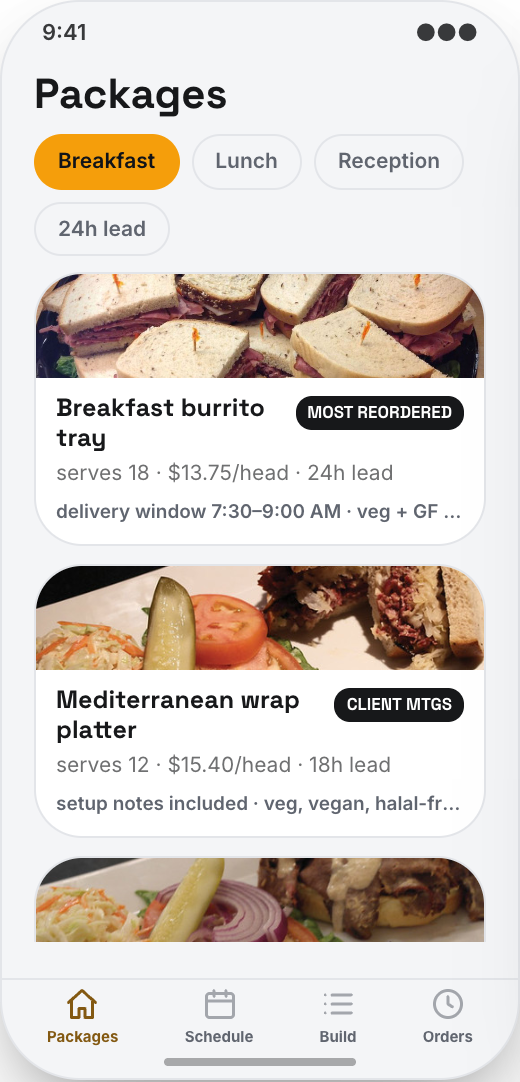
Show lunch boxes, sandwich platters, hot buffet trays, breakfast spreads, drinks, and dessert add-ons that match the headcount, deadline, and dietary mix.
Clients can compare packages by availability, price per person, required notice, and dietary fit, so they choose quickly instead of asking your sales team for three versions of the same quote.
The app keeps vegan, vegetarian, gluten-free, dairy-free, nut-free, and other counts attached to the order, so the kitchen knows exactly what to prep.
Clients add drinks, fruit trays, coffee service, serving utensils, chafing dishes, labels, or setup help from the same order screen instead of sending a separate request.
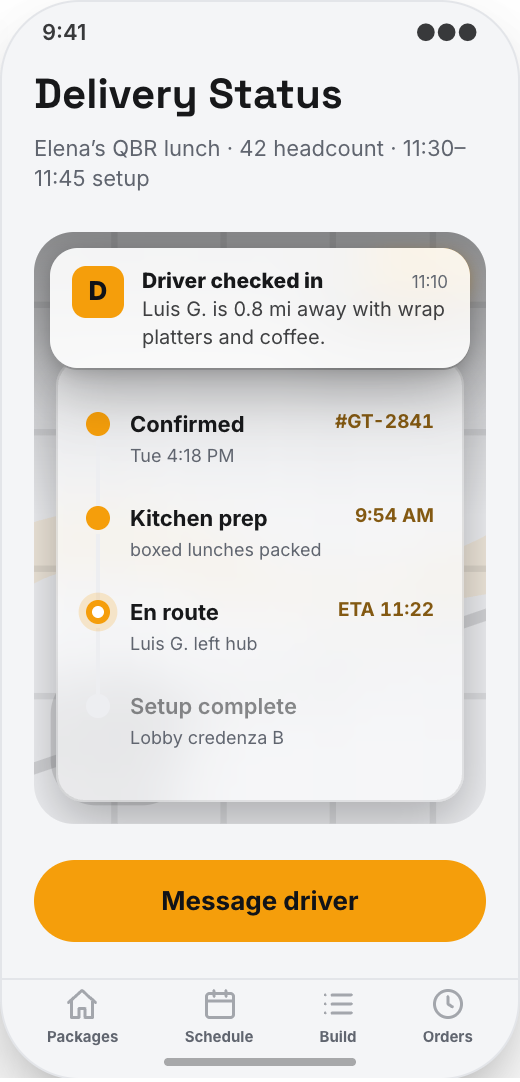
On event day, clients see kitchen prep, courier pickup, courier ETA, arrival, and setup progress, so they know food will land before attendees walk in.
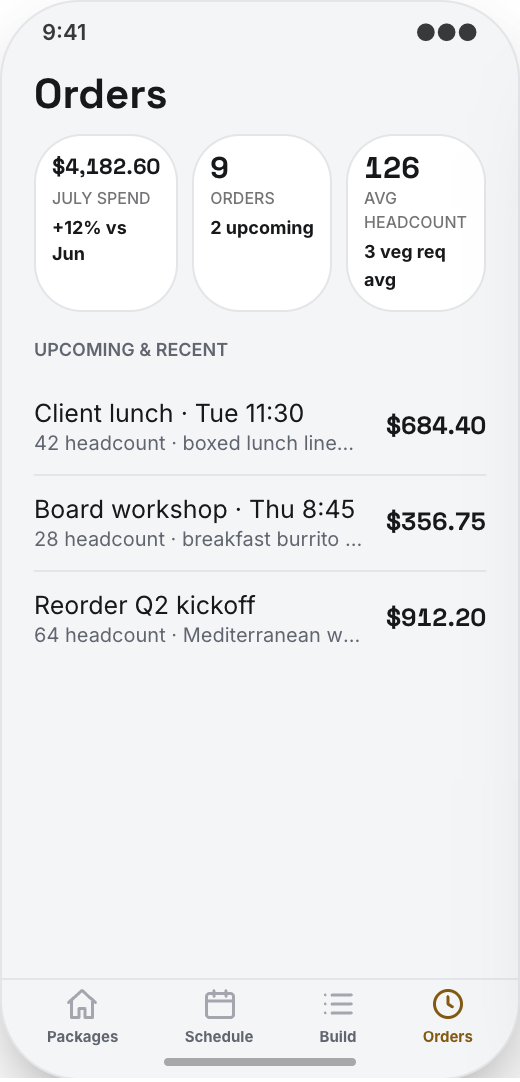
Regular clients save office addresses, delivery notes, billing details, favorite packages, and past orders, then reorder a reliable meeting lunch in under a minute.
The app uses your catering company name, menu style, colors, and logo. It feels like your service, not a marketplace that can send clients to another caterer.
Prototype screen gallery
These are screens from the working prototype—not screenshots of a shipped customer app.
Example workflows
Use these examples to judge whether the flow matches your business before you commit to building it.
The build promise
Explore this working prototype, customize it yourself or hand it to us, then approve the screens, style, and flow before the finished build begins.
Try the proposed flow and review every prototype screen.
Change the words, branding, features, and workflow until it fits.
Your approved prototype becomes the clear visual contract for the finished app.
Straight answers
Choose self-serve if you want control, or Studio if you want Mistflow to take the build from approved prototype to a native iPhone and Android app.
Agency comparison from the industry brief: A custom office catering app from an agency usually runs $20,000 to $70,000 plus hosting, maintenance, and paid change requests when you want to adjust menus, lead times, delivery windows, or reorder rules. Quotes vary by scope, platform, and integrations.
Start from this exact prototype, make it yours, and build in Mistflow. See the pricing page for current subscription options.
Build my versionHand the approved prototype to the Mistflow team for a focused native mobile app build. Scope is confirmed before the 14-day engagement starts.
Have Mistflow build itBuying questions
Clear answers about the prototype, the finished build, and your two paths forward.
No. The screens on this page are a working prototype: you can explore the flow, but it is not a shipped customer app. The finished app is built after you approve or customize the prototype.
Yes. Build my version carries this exact prototype into Mistflow, including its screens, style, and flow. You can change it before the finished app is built.
You can change the branding, wording, steps, and features. This prototype currently demonstrates Event Planner, Recommended catering packages, and Compare by per-head price and lead time, and you can keep, remove, or reshape those parts around the way your business works.
Yes. In the finished app, clients can enter dietary counts during event planning, such as vegetarian, vegan, gluten-free, dairy-free, halal, or nut-free. Those counts stay with the order so your kitchen and setup team see them clearly.
Yes. In the finished app, the Delivery Timeline can show kitchen prep, courier pickup, courier ETA, arrival, and setup progress, so clients know whether the food will arrive before the meeting starts.
For self-serve, you use a Mistflow subscription; current plan prices are listed on the pricing page. Mistflow Studio is a separate $4,900 fixed service for a 14-day native iPhone and Android app build. Scope is confirmed before work starts.
Related prototypes
Compare adjacent workflows and borrow the ideas that fit your business.
Start from the working prototype you just reviewed. Customize it yourself or hand the approved direction to Mistflow Studio.
Prototype preview only. The finished app is built after you approve the direction.