Seasonal Stems
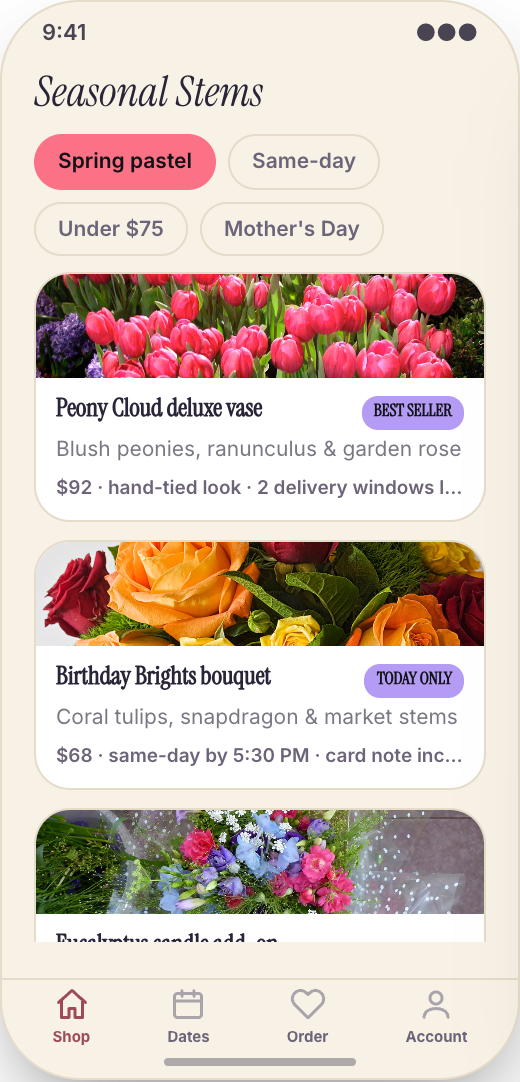
Customers open the app and see the arrangements you want to sell right now: tulips in spring, roses for Valentine’s, sympathy whites, bright birthday mixes, and limited weekly bouquets.
Working prototype · Retail
Explore a working florist & flower delivery app prototype with seasonal stems, browse by mood, price, and recipient, and occasion calendar. Customize it yourself or have Mistflow Studio build the approved screens, style, and flow.
This is a working mobile prototype, not a shipped app. Mistflow can turn it into a native iPhone and Android app after you confirm the screens, platform details, and integrations.
Built for florist work
Not a generic app template. This prototype starts with the moments that cost your team time or leave customers waiting.
Inside the prototype
Keep what fits, change what does not, and add the details that make the workflow yours.
Customers open the app and see the arrangements you want to sell right now: tulips in spring, roses for Valentine’s, sympathy whites, bright birthday mixes, and limited weekly bouquets.
A customer can pick 'romantic,' 'cheerful,' 'sorry,' or 'thinking of you,' set a budget, and choose who it is for. The app guides them to the right bouquet without needing a long message thread.
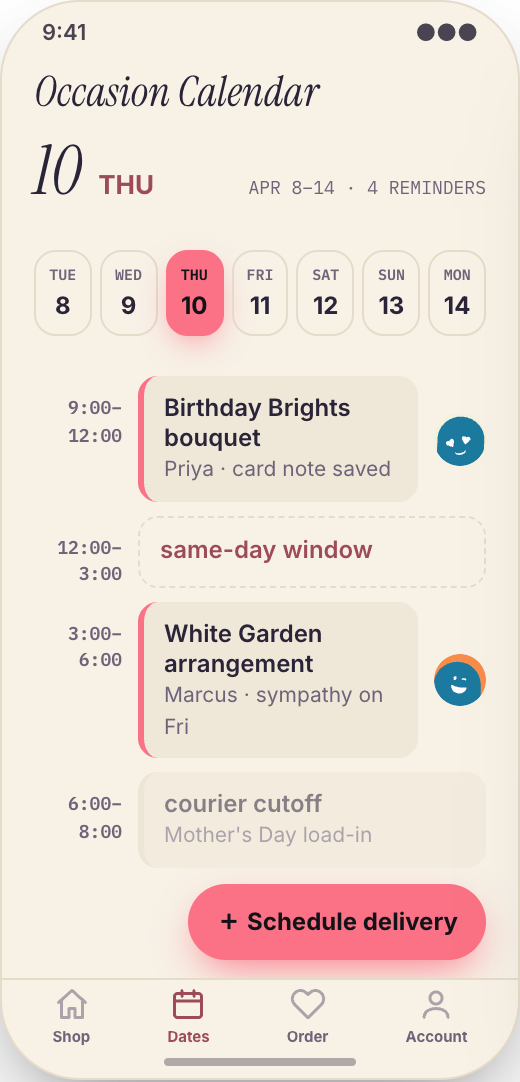
Customers save birthdays, anniversaries, Mother’s Day reminders, and personal dates. When an important day is coming up, the app nudges them to schedule flowers before it becomes urgent.
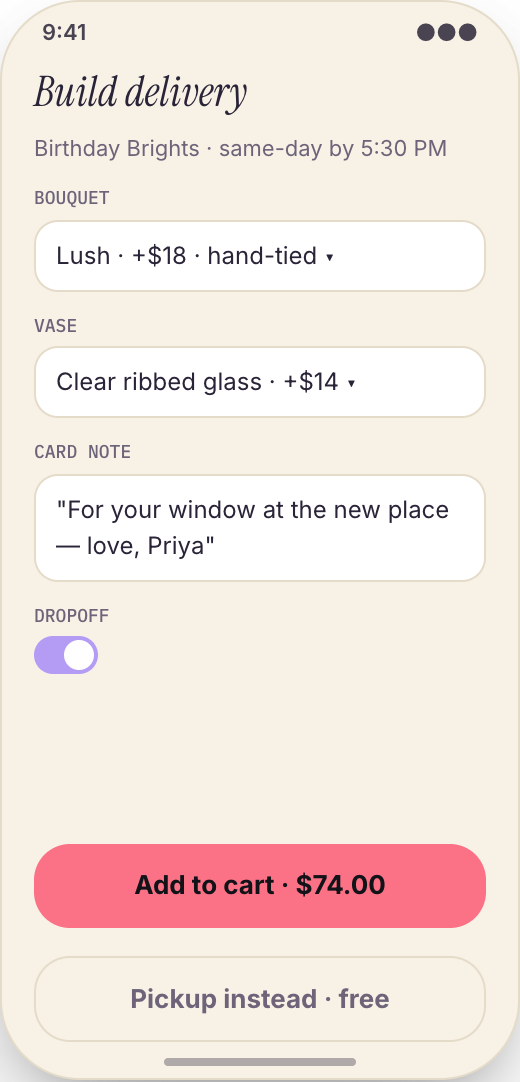
Each order collects the delivery address, recipient name, phone number, delivery date, delivery window, pickup choice, and any special instructions, all in one clean flow.
Customers add the message for the flower card while ordering, so your team is not chasing a missing note after the bouquet is already wrapped.
Customers choose local delivery or shop pickup, confirm the timing, and see exactly what they ordered before checkout. Fewer wrong addresses, missed pickup times, and unclear requests.
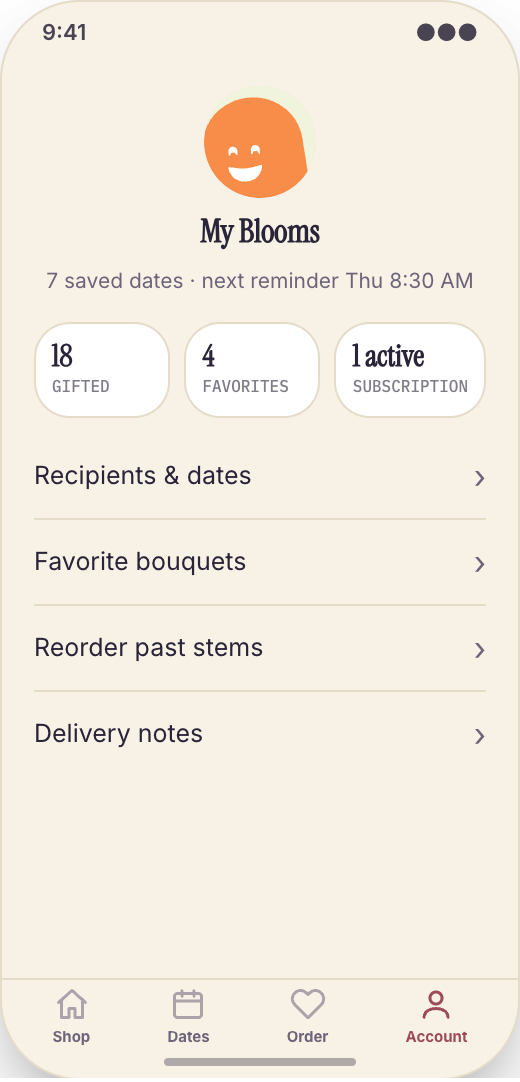
Customers can see past bouquets, reorder an arrangement someone loved, save recipient details, or start a recurring flower send for offices, anniversaries, or monthly gifts.
The app uses your shop name, colors, logo, photos, bouquet names, and delivery rules. It feels like your florist, not a generic marketplace.
Prototype screen gallery
These are screens from the working prototype—not screenshots of a shipped customer app.
Example workflows
Use these examples to judge whether the flow matches your business before you commit to building it.
The build promise
Explore this working prototype, customize it yourself or hand it to us, then approve the screens, style, and flow before the finished build begins.
Try the proposed flow and review every prototype screen.
Change the words, branding, features, and workflow until it fits.
Your approved prototype becomes the clear visual contract for the finished app.
Straight answers
Choose self-serve if you want control, or Studio if you want Mistflow to take the build from approved prototype to a native iPhone and Android app.
Agency comparison from the industry brief: A custom florist ordering app from an agency can run $15,000 to $50,000 or more, plus maintenance, and every change to delivery windows, bouquet collections, or occasion reminders becomes a new request. Quotes vary by scope, platform, and integrations.
Start from this exact prototype, make it yours, and build in Mistflow. See the pricing page for current subscription options.
Build my versionHand the approved prototype to the Mistflow team for a focused native mobile app build. Scope is confirmed before the 14-day engagement starts.
Have Mistflow build itBuying questions
Clear answers about the prototype, the finished build, and your two paths forward.
No. The screens on this page are a working prototype: you can explore the flow, but it is not a shipped customer app. The finished app is built after you approve or customize the prototype.
Yes. Build my version carries this exact prototype into Mistflow, including its screens, style, and flow. You can change it before the finished app is built.
You can change the branding, wording, steps, and features. This prototype currently demonstrates Seasonal Stems, Browse by mood, price, and recipient, and Occasion Calendar, and you can keep, remove, or reshape those parts around the way your business works.
Yes. In the finished app, customers can choose local delivery or shop pickup, pick a date and time, add recipient details, include a card note, and confirm the full order before it reaches your team.
Yes. In the finished app, the Occasion Calendar is built for that. Customers save important dates and get reminded early enough to schedule flowers instead of panic-ordering at the last minute.
For self-serve, you use a Mistflow subscription; current plan prices are listed on the pricing page. Mistflow Studio is a separate $4,900 fixed service for a 14-day native iPhone and Android app build. Scope is confirmed before work starts.
Related prototypes
Compare adjacent workflows and borrow the ideas that fit your business.
Start from the working prototype you just reviewed. Customize it yourself or hand the approved direction to Mistflow Studio.
Prototype preview only. The finished app is built after you approve the direction.