The Venue tour
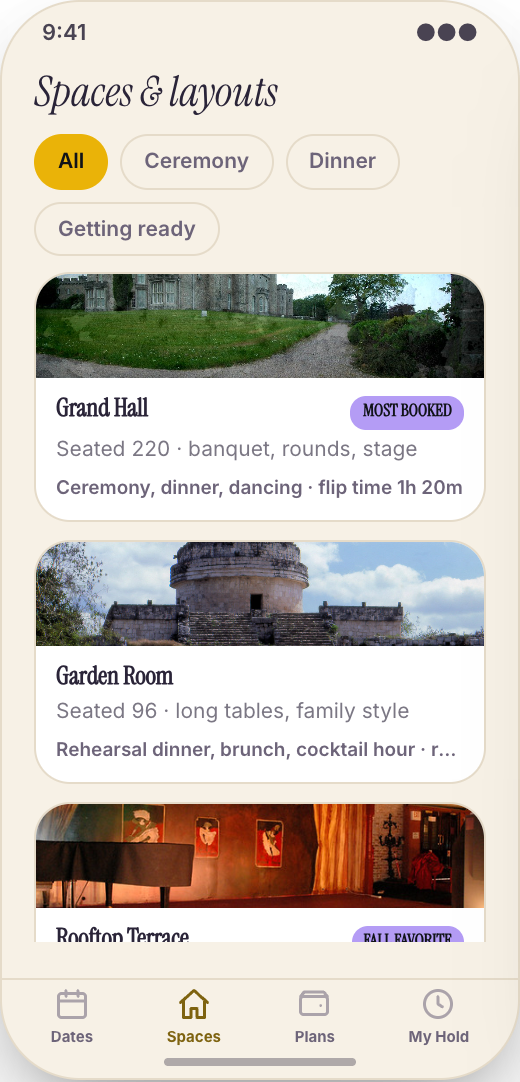
Guests open the app and see your ballroom, ceremony lawn, rooftop, bridal suite, cocktail area, and rain-plan spaces. Each area can show photos, notes, guest counts, and setup ideas.
Working prototype · Events & creative services
Explore a working event venue app prototype with the venue tour, setup style previews, and open dates screen. Customize it yourself or have Mistflow Studio build the approved screens, style, and flow.
This is a working mobile prototype, not a shipped app. Mistflow can turn it into a native iPhone and Android app after you confirm the screens, platform details, and integrations.
Built for event venue work
Not a generic app template. This prototype starts with the moments that cost your team time or leave customers waiting.
Inside the prototype
Keep what fits, change what does not, and add the details that make the workflow yours.
Guests open the app and see your ballroom, ceremony lawn, rooftop, bridal suite, cocktail area, and rain-plan spaces. Each area can show photos, notes, guest counts, and setup ideas.
Show what the same room looks like for a seated dinner, cocktail reception, ceremony, corporate luncheon, or dance-floor layout, so guests can picture their event before they tour.
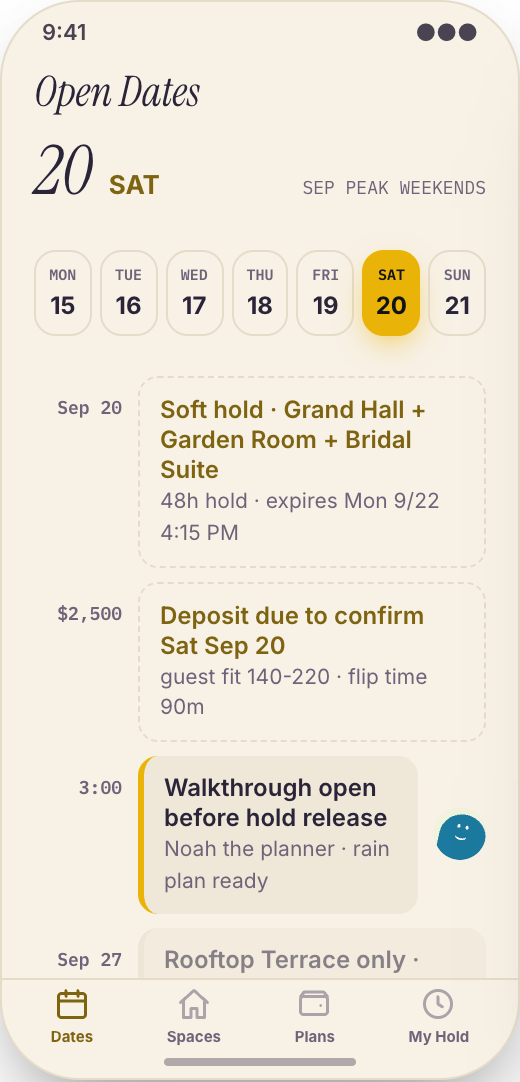
Leads check available weekends, popular months, and open tour times from their phone. You stop answering 'is October 12 open' ten times a day.
A couple can grab an open tour slot, add their target event date, and show up with the right expectations. Your coordinator sees who is coming and what they want to see.
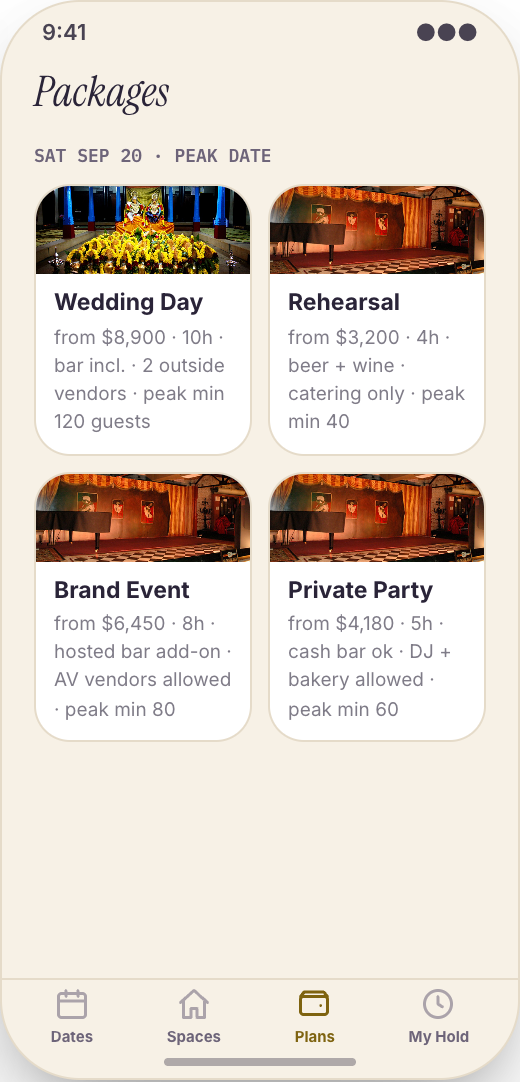
Lay out venue rental, food and beverage minimums, guest-count ranges, ceremony fees, bar options, and required add-ons in plain English so people can qualify themselves before asking for a quote.
Keep venue questions in one place instead of scattered across Instagram, text, and email. Leads can ask about linens, outside catering, parking, rain plans, and hold rules from inside the app.
Before you quote, guests send the details you actually need: event type, date range, guest count, budget range, ceremony needs, catering plans, room preference, and must-have add-ons.
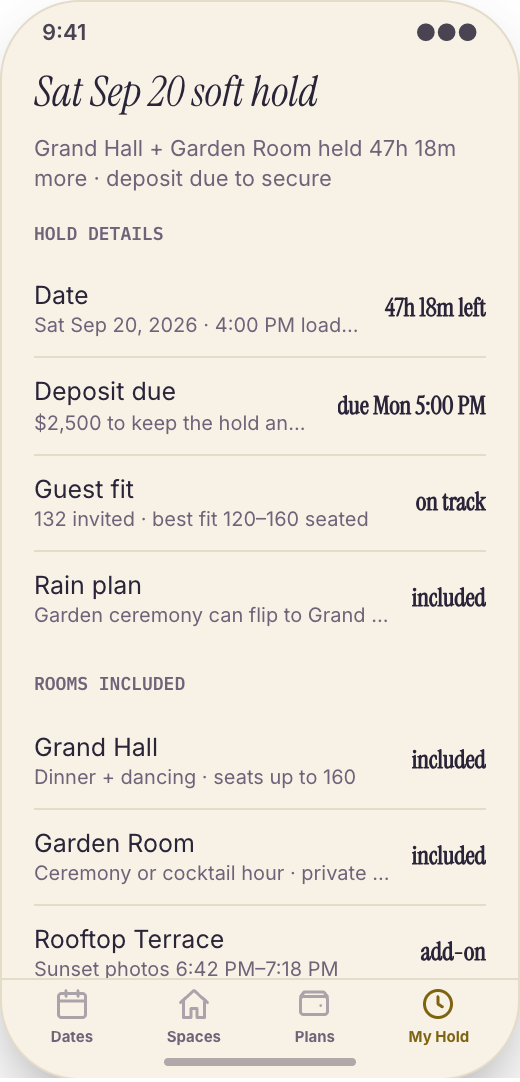
When a lead is ready, they can request a date hold with their event brief attached, so your coordinator can move fast before the weekend is lost.
Prototype screen gallery
These are screens from the working prototype—not screenshots of a shipped customer app.
Example workflows
Use these examples to judge whether the flow matches your business before you commit to building it.
The build promise
Explore this working prototype, customize it yourself or hand it to us, then approve the screens, style, and flow before the finished build begins.
Try the proposed flow and review every prototype screen.
Change the words, branding, features, and workflow until it fits.
Your approved prototype becomes the clear visual contract for the finished app.
Straight answers
Choose self-serve if you want control, or Studio if you want Mistflow to take the build from approved prototype to a native iPhone and Android app.
Agency comparison from the industry brief: A custom event venue app from an agency usually runs $20,000 to $70,000, especially if it includes room tours, date availability, package comparison, coordinator messaging, event briefs, and hold requests. Quotes vary by scope, platform, and integrations.
Start from this exact prototype, make it yours, and build in Mistflow. See the pricing page for current subscription options.
Build my versionHand the approved prototype to the Mistflow team for a focused native mobile app build. Scope is confirmed before the 14-day engagement starts.
Have Mistflow build itBuying questions
Clear answers about the prototype, the finished build, and your two paths forward.
No. The screens on this page are a working prototype: you can explore the flow, but it is not a shipped customer app. The finished app is built after you approve or customize the prototype.
Yes. Build my version carries this exact prototype into Mistflow, including its screens, style, and flow. You can change it before the finished app is built.
You can change the branding, wording, steps, and features. This prototype currently demonstrates The Venue tour, Setup style previews, and Open Dates screen, and you can keep, remove, or reshape those parts around the way your business works.
Yes. In the finished app, the Open Dates screen can show the dates and tour times you want leads to see, including high-demand weekends, weekday openings, and times your coordinator is available for tours.
Yes. In the finished app, you can show the ballroom, chapel, garden, rooftop, cocktail area, getting-ready rooms, and outdoor spaces, with different setup styles for weddings, showers, galas, meetings, and private parties.
For self-serve, you use a Mistflow subscription; current plan prices are listed on the pricing page. Mistflow Studio is a separate $4,900 fixed service for a 14-day native iPhone and Android app build. Scope is confirmed before work starts.
Related prototypes
Compare adjacent workflows and borrow the ideas that fit your business.
Start from the working prototype you just reviewed. Customize it yourself or hand the approved direction to Mistflow Studio.
Prototype preview only. The finished app is built after you approve the direction.