Urgent Needs
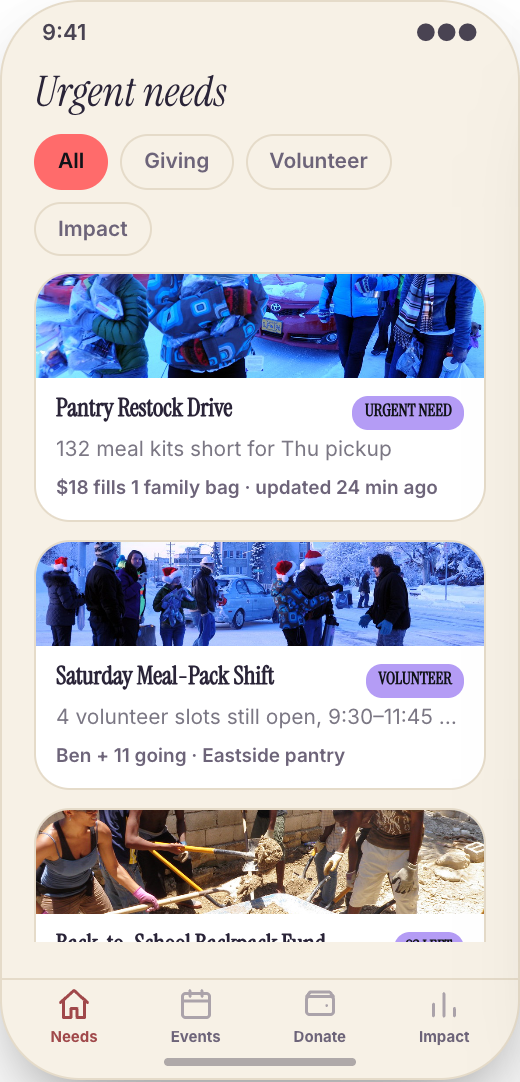
Supporters open the app and see the most time-sensitive needs first: three drivers needed today, diaper drive short by Friday, cleanup crew needed Saturday morning. A free hour turns into real help fast.
Working prototype · Community & faith
Explore a working nonprofit & volunteer organization app prototype with urgent needs, volunteer calendar, and donate now. Customize it yourself or have Mistflow Studio build the approved screens, style, and flow.
This is a working mobile prototype, not a shipped app. Mistflow can turn it into a native iPhone and Android app after you confirm the screens, platform details, and integrations.
Built for nonprofit work
Not a generic app template. This prototype starts with the moments that cost your team time or leave customers waiting.
Inside the prototype
Keep what fits, change what does not, and add the details that make the workflow yours.
Supporters open the app and see the most time-sensitive needs first: three drivers needed today, diaper drive short by Friday, cleanup crew needed Saturday morning. A free hour turns into real help fast.
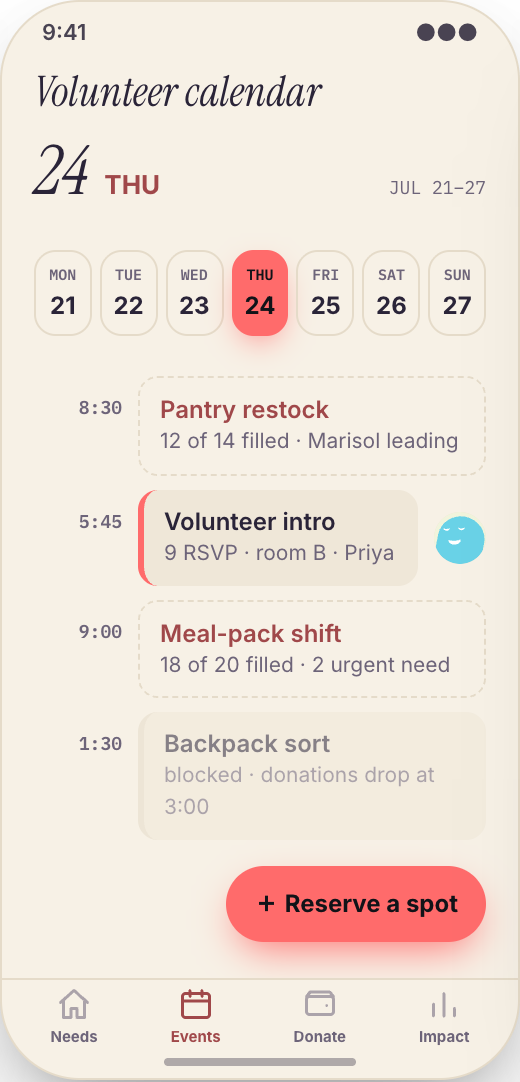
All service days, trainings, fundraisers, orientations, and community events sit in one mobile calendar, so volunteers can plan their month without hunting through emails.
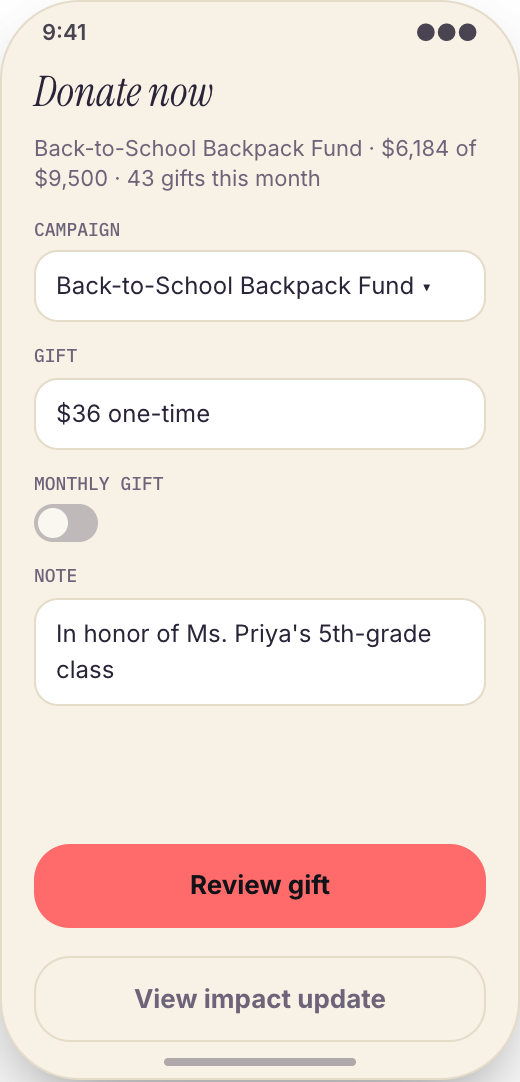
When you launch an urgent drive or campaign, supporters can give in a few taps from their phone while the need is still fresh.
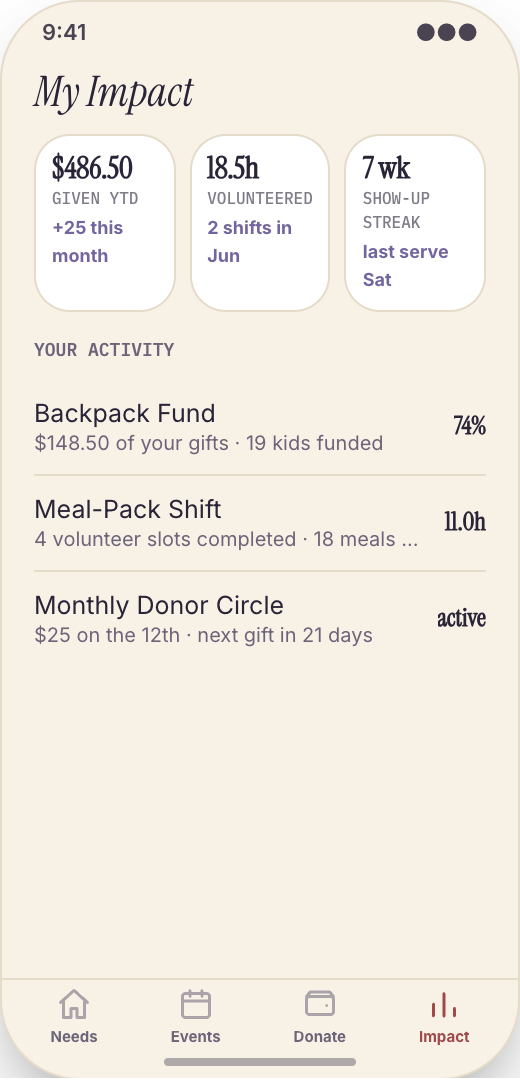
Each supporter can see their volunteer hours, past donations, events attended, and the outcomes they helped support, like meals served, backpacks filled, or families assisted.
Send a timely alert for a winter coat drive, emergency shelter night, matching gift deadline, or last-minute volunteer gap without relying on social media algorithms.
Every volunteer opportunity can show the location, arrival time, contact person, parking notes, age requirements, what to wear, and what to bring.
The app uses your nonprofit's name, logo, colors, and language, so supporters feel like they are inside your mission, not using a generic volunteer portal.
Prototype screen gallery
These are screens from the working prototype—not screenshots of a shipped customer app.
Example workflows
Use these examples to judge whether the flow matches your business before you commit to building it.
The build promise
Explore this working prototype, customize it yourself or hand it to us, then approve the screens, style, and flow before the finished build begins.
Try the proposed flow and review every prototype screen.
Change the words, branding, features, and workflow until it fits.
Your approved prototype becomes the clear visual contract for the finished app.
Straight answers
Choose self-serve if you want control, or Studio if you want Mistflow to take the build from approved prototype to a native iPhone and Android app.
Agency comparison from the industry brief: A custom nonprofit mobile app from an agency often costs $20,000 to $75,000, plus hosting and maintenance, and small changes like adding a new campaign type or impact screen can turn into extra invoices. Quotes vary by scope, platform, and integrations.
Start from this exact prototype, make it yours, and build in Mistflow. See the pricing page for current subscription options.
Build my versionHand the approved prototype to the Mistflow team for a focused native mobile app build. Scope is confirmed before the 14-day engagement starts.
Have Mistflow build itBuying questions
Clear answers about the prototype, the finished build, and your two paths forward.
No. The screens on this page are a working prototype: you can explore the flow, but it is not a shipped customer app. The finished app is built after you approve or customize the prototype.
Yes. Build my version carries this exact prototype into Mistflow, including its screens, style, and flow. You can change it before the finished app is built.
You can change the branding, wording, steps, and features. This prototype currently demonstrates Urgent Needs, Volunteer Calendar, and Donate Now, and you can keep, remove, or reshape those parts around the way your business works.
Yes. In the finished app, add a new shelter shift, remove a filled supply need, post a training, update a fundraiser time, or launch a new campaign by asking for the change in plain English.
Yes. In the finished app, my Impact can show volunteer hours, past donations, attended events, and mission outcomes like meals packed, students tutored, animals placed, kits delivered, or families served.
For self-serve, you use a Mistflow subscription; current plan prices are listed on the pricing page. Mistflow Studio is a separate $4,900 fixed service for a 14-day native iPhone and Android app build. Scope is confirmed before work starts.
Related prototypes
Compare adjacent workflows and borrow the ideas that fit your business.
Start from the working prototype you just reviewed. Customize it yourself or hand the approved direction to Mistflow Studio.
Prototype preview only. The finished app is built after you approve the direction.